Using VRRP with OCX-Router(v1)
For the recommended configuration, please refer to this page. Please note that the configuration described here is NOT RECOMMENDED.
Please consider adopting this configuration only after thorough validation, including failover testing.
Problem to Solve
- Connect the on-premises router (CPE) and OCX-Router(v1) using static routing.
- Implement a redundant configuration with the destination cloud service.
Solution with OCX
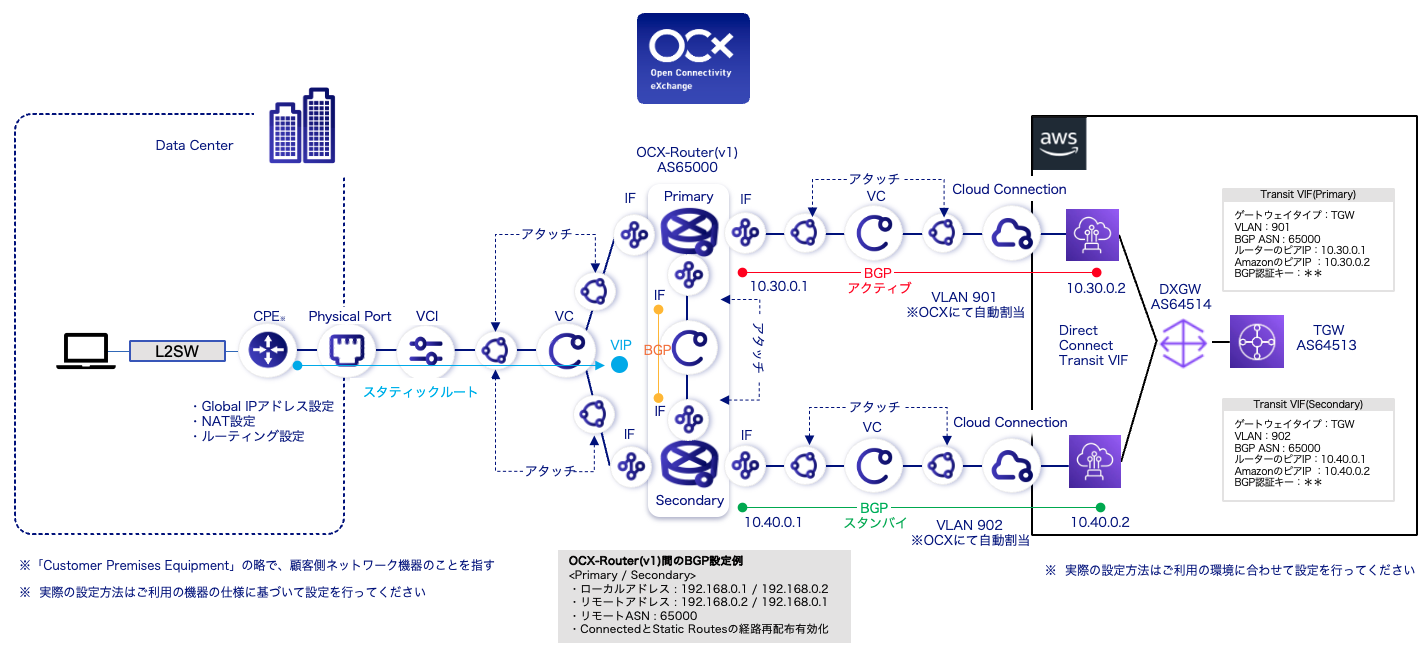
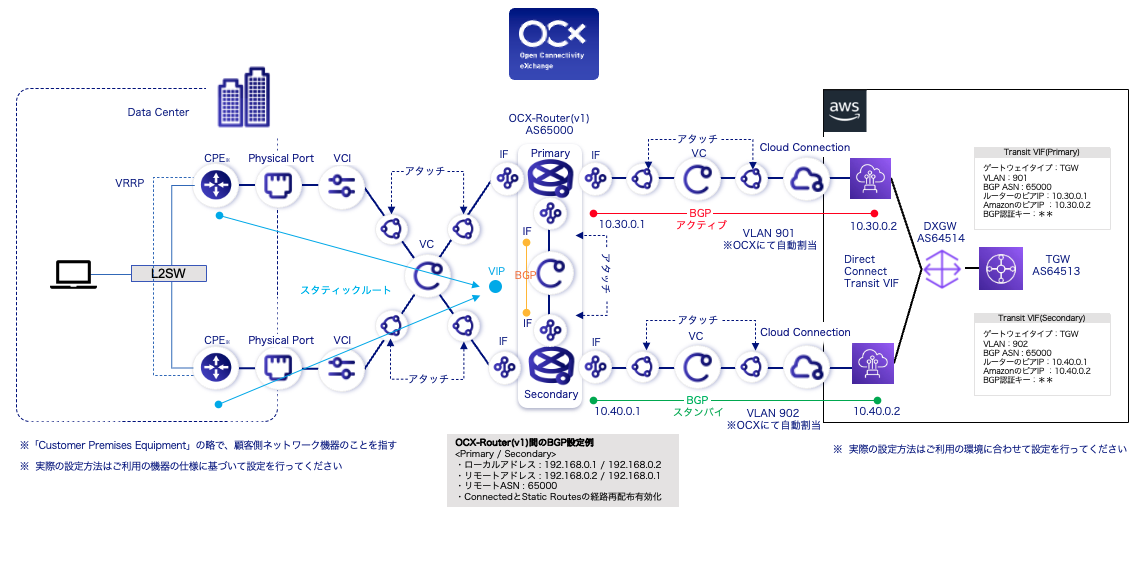
- Configure VRRP between the Primary and Secondary instances of the OCX-Router(v1), and set up static routes between the CPE and OCX-Router(v1).
- Establish the connection between the OCX-Router(v1) and the public cloud using BGP.
OCX Resources
| Resource | Required Quantity |
|---|---|
| Physical Port | 2 |
| VCI | 2 |
| Cloud Connection | 2 |
| Virtual Circuit (VC) | 4 |
| OCX-Router(v1) | 1 (Consisting of 2 instances) |
| Interface (Router Connection) | 6 |
Structure
Detailed Diagram (Single Configuration)
Detailed Diagram (Redundant Configuration)
Notes
This configuration is NOT RECOMMENDED. Please ensure you fully understand the following precautions and conduct comprehensive validation, including failover tests, before implementation.
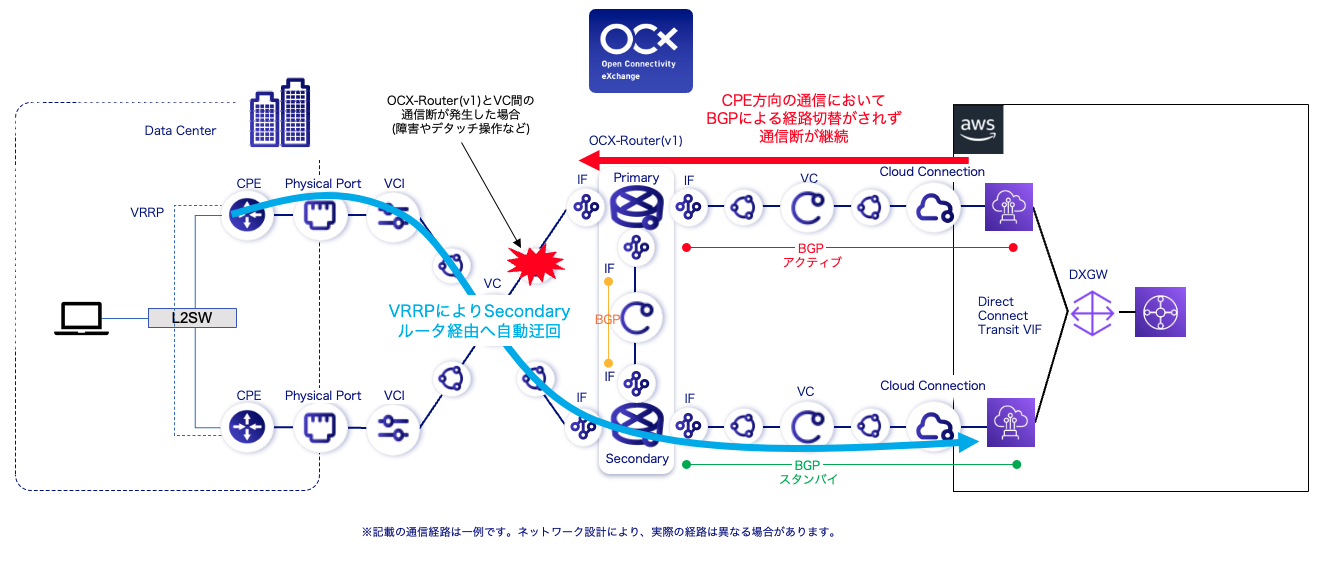
- Depending on where a failure occurs, the automatic BGP failover between the OCX-Router(v1) and the cloud may not trigger, preventing traffic from being rerouted to the backup path.
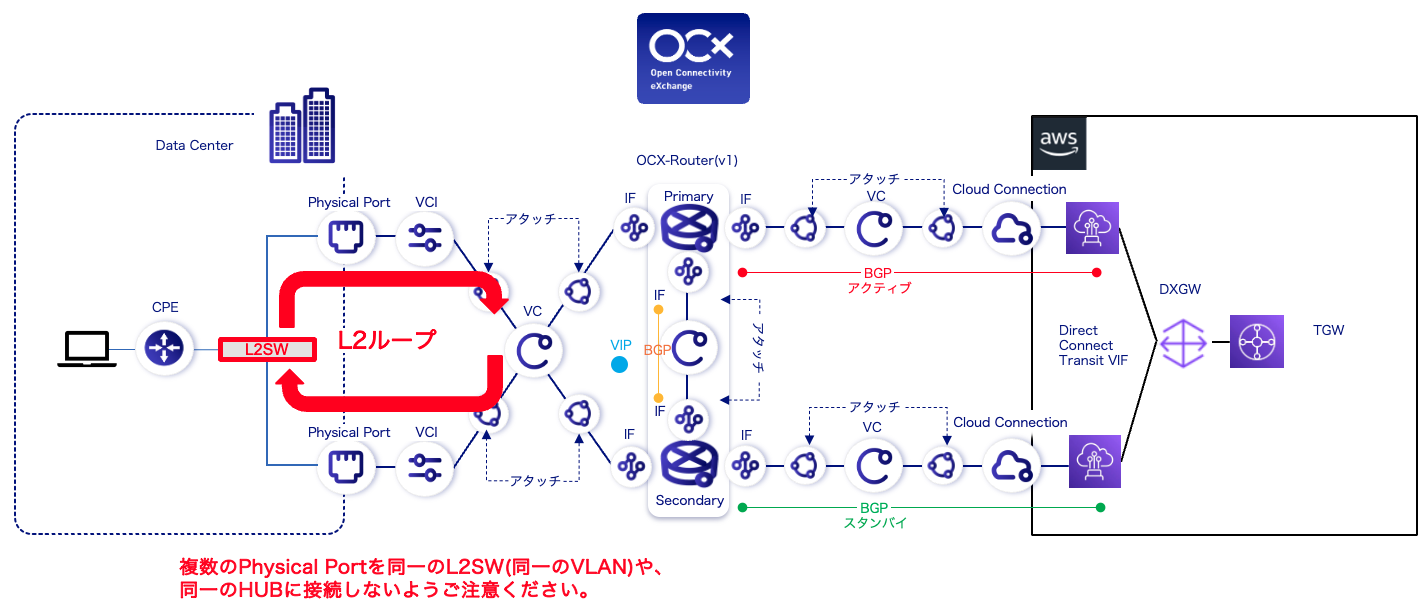
- Avoid connecting the Physical Ports on the data center side to a single L2 switch. This can cause an L2 loop, leading to network failure.